Arduino + Servo (or ESC)
October 5, 2016
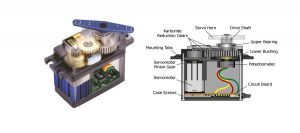
Description The Arduino servo library allows an Arduino board to control RC (hobby) servo motors. Servos have integrated gears and a shaft that can be precisely controlled. Standard servos allow the shaft to be positioned at various angles, usually between 0 and 180 degrees. Continuous rotation servos allow the rotation of the shaft to be […]

Arduino + Analog vs Digital
October 4, 2016
Digital signals In the Arduino + Pushbutton article we used a pushbutton as an input device connected to a DIGITAL I/O pin. We used internal pull up resistors so that we could connect a pushbutton directly between digital I/O pin 8 and GND. Circuit Instead of a pushbutton we can simply connect a wire to […]

Arduino + Potentiometer
October 4, 2016
Description A switch can be used to make a digital I/O pin LOW or HIGH; a variable resistor or potentiometer can be used to make an analog I/O pin anywhere in between LOW or HIGH. Analog pins recognize voltages between 0Vdc and +5Vdc. This analog voltage between 0Vdc and +5Vdc is then translated to a […]

Arduino + Pushbutton
October 4, 2016
Description There are a number of digital I/O pins on the board that can be used as a digital input or digital output. If a digital I/O pin is used as an output, you can make a pin HIGH (5V) or LOW (0V) to drive LEDs, servos, LCD displays, etc. If a digital I/O pin […]
Arduino + Serial (ASCII)
October 4, 2016
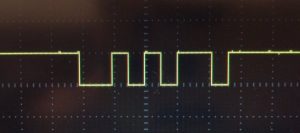
Microcontrollers operate on +3.3Vdc or +5Vdc relative to GND typically. Digital electronics consider a signal of +5Vdc (or +3.3Vdc) HIGH and a signal of 0Vdc LOW. Arduino microcontrollers treat voltages on a digital I/O pin above +0.7Vdc as HIGH and voltages below +0.3Vdc as LOW. If a digital I/O pin is not connected, electrostatic discharge […]
Arduino + Serial Monitor
October 3, 2016
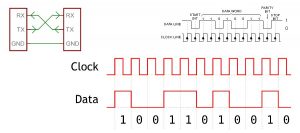
Description When you upload code to an Arduino board, the computer uses serial communication to transfer the code to the device. The Arduino board contains a serial-to-USB converter chip that is detected by the computer when you first connect the Arduino board. A virtual serial port on the computer will allow the computer to send […]

Arduino + LEDs
October 2, 2016
Description Blinking a single LED is not all that hard. But how do we go from there to driving 8 LEDs connected to an Arduino board? Hardware Required There are a large number of similar boards on the market. They either have a common ground or common Vcc pin (active low logic). The exact pinout […]
Arduino + LED
October 2, 2016
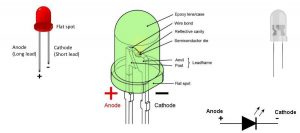
Description Blink the on-board LED. Make no mistake – this is an essential skill and a gateway to numerous challenging and creative projects. Hardware Required Arduino Board Circuit Arduino boards have a number of onboard LEDs: ON – Power indicator TX – Transmit (pin 1) – Used for programming and diagnostics (USB serial port communication). […]

Koozali – Single multi-domain SSL certificate using Let’s Encrypt
June 27, 2016
Installation(Koozali SME server v9.x) yum install git Then download the dehydrated client: cd /etc git clone https://github.com/lukas2511/dehydrated mv dehydrated/dehydrated /usr/local/bin/ You’ll need to create two configuration files for the dehydrated script to work. cd dehydrated mkdir -p /home/e-smith/files/ibays/Primary/html/.well-known/acme-challenge vi domains.txt In this file, you’ll list every hostname that you want your certificate to cover, all […]

Koozali – Teamspeak
June 23, 2016
Download the latest version of Teamspeak from their website (A newer version may be available, it’s always a good idea to go and check): wget http://dl.4players.de/ts/releases/3.0.11.2/teamspeak3-server_linux-amd64-3.0.11.2.tar.gz The next step is to extract the files from the downloaded archive. tar xzf teamspeak3-server_linux-amd64-3.0.11.2.tar.gz Create the user account for which Teamspeak will run on our VPS. For this […]